Win the job on the first visit.
Show them the finished floor, hand them a priced bid, and let the phone get answered while you work.
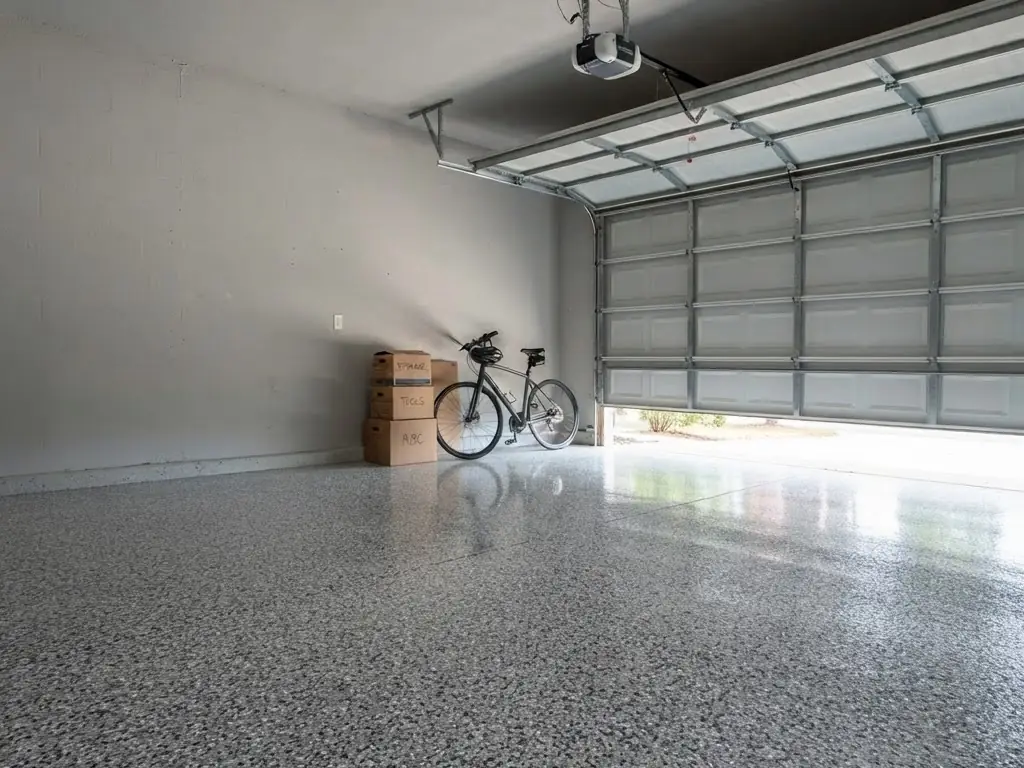
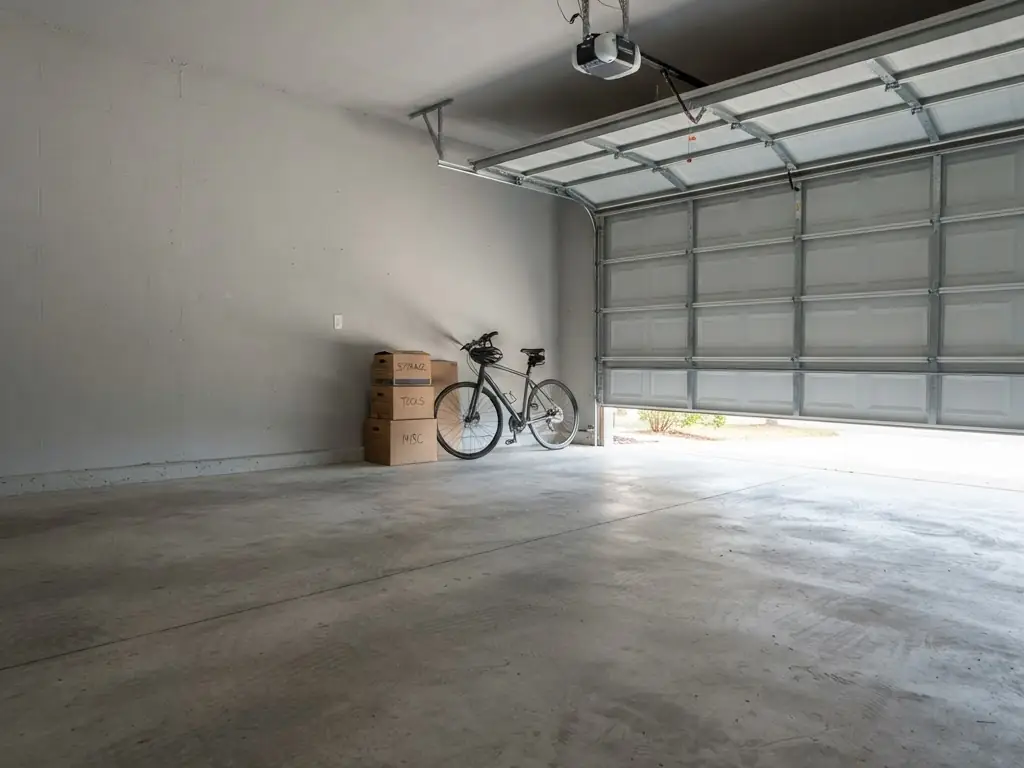 BeforeAfter
This is the part they remember.
Drag it. That is what the homeowner does on your phone, standing on their own bare slab, before anybody says a number.
One job, from the driveway to the deposit.
The three tools are one chain. What the homeowner touches becomes the lead. The lead becomes the bid. The bid is already priced.
The floor, finished
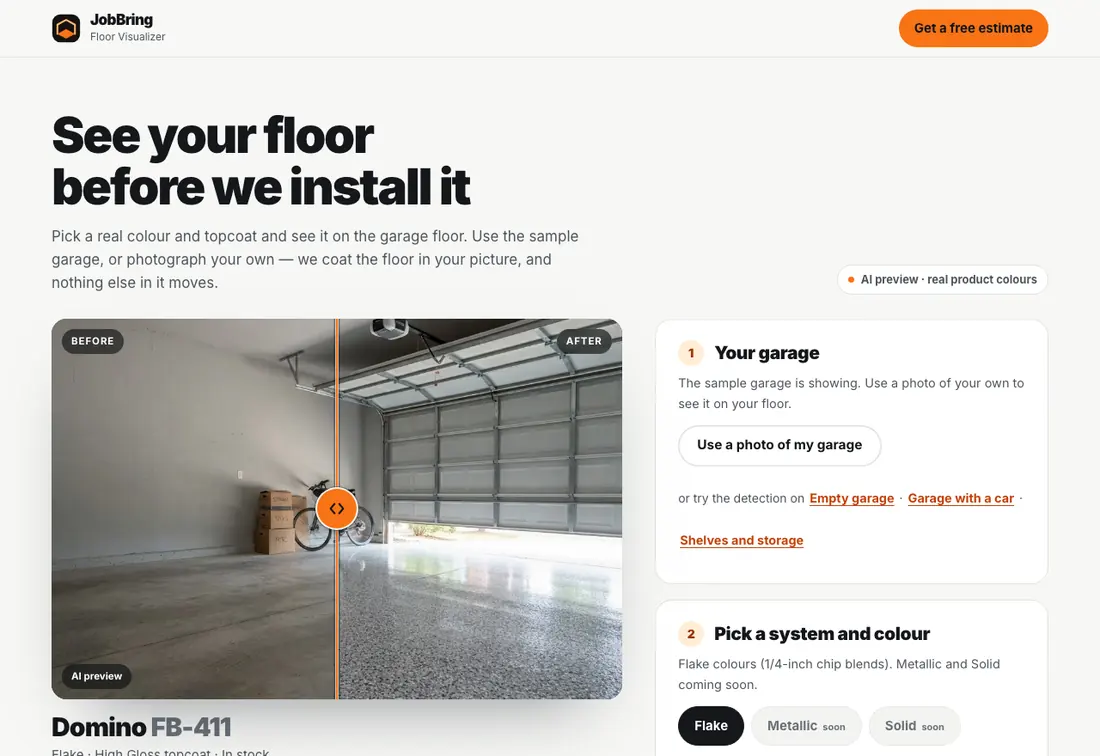
Photograph the slab or use the sample garage. Pick a system, a colour and a topcoat. The picture updates while they watch.
The lead lands
Name, phone, address, how many cars, and the exact colour they chose. It arrives while they are still looking at it.
The bid goes out
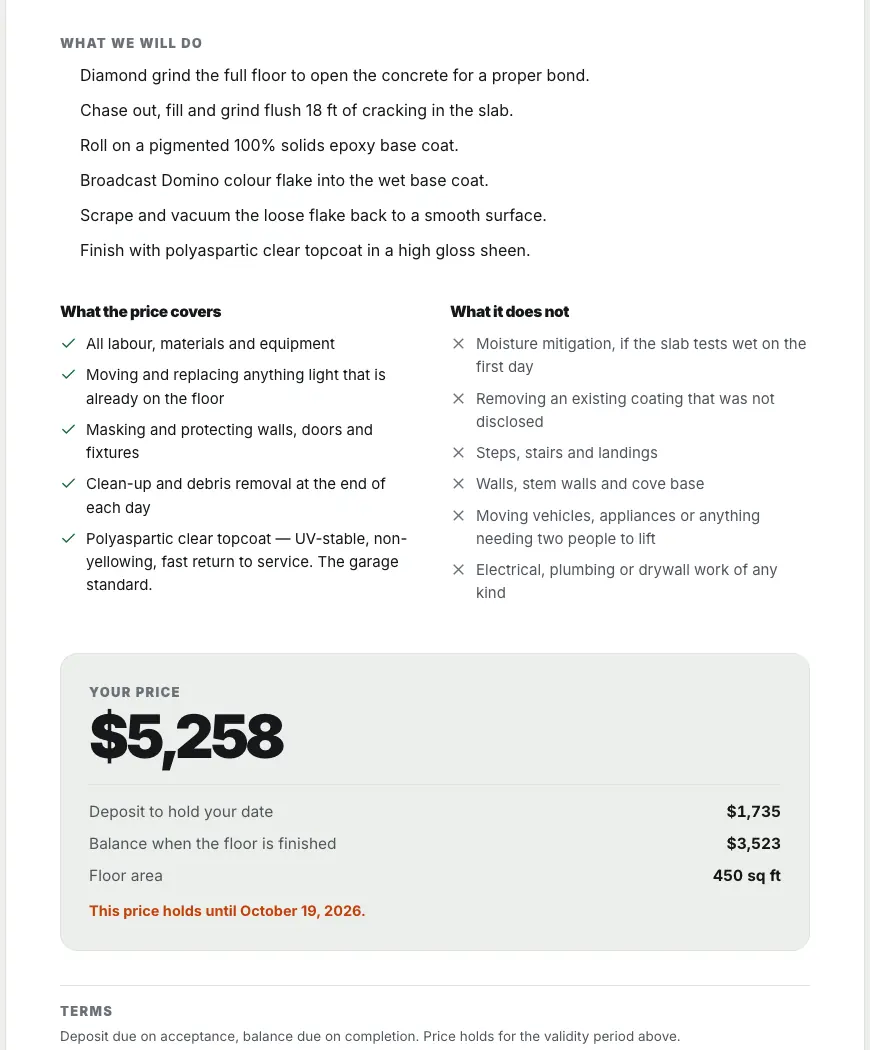
Square footage, materials, labour, tax and your margin are already figured. Adjust, name your discount and send.
The call gets answered
A missed call gets a text back in ten seconds asking what they need, then keeps the conversation going until you can pick up.
Three tools. Buy the one you need.
Floor Visualizer
Show them their floor finished before you quote it. Their own photo, your product line, the sheen they asked about. The guess goes out of the conversation.
- Their garage, their colour, in about fifteen seconds
- Flake, metallic and solid systems with real product codes
- Every homeowner who asks for a price becomes a lead
$49 per month
Smart Estimate
Bid the job before you leave the driveway. Square footage in, materials and labour figured, margin shown to you and never to them. They get a clean page they can accept on their phone.
- Materials, tax, crew labour, prep and overhead priced per job
- Your cost and margin sit on a private panel
- The customer accepts, calls or asks a question from the same page
$39 per month
AI Receptionist
Every missed call gets answered in ten seconds. It texts back, asks what the job is, gives the range you set and books the visit. You read the transcript when you are off the ladder.
$129 per month
- Missed-call text-back, then a real conversation
- Answers the phone too, in your hours and your words
- Unlimited AI text replies, 300 voice minutes included
- No call audio is ever recorded
- Sorry we missed your call. This is Desert Shield Coatings. What can we help with? Reply STOP to opt out.10 seconds after the missed call
- Want my garage floor done. 2 car.
- Got it. A two-car garage usually lands in the range we quote for 400 to 500 square feet. Ryan will confirm the exact number.Range comes from your settings
- Can someone come look at it?
- Yes. Thursday morning or Friday afternoon. Which suits you?Your hours, your service area
Pick your tools. Start today.
Month to month, no contract, no setup fee on the tools. Cancel any time before the next renewal.
Smart Estimate
$39/mo
- Materials, tax, labour, prep and overhead priced
- Your cost and margin stay on a private panel
- The customer accepts on their phone
Floor Visualizer
$49/mo
- Their photo, coated, in about fifteen seconds
- 150 renders a month included
- Every homeowner who asks becomes a lead
Estimate + Visualizer
$79.99/mo
- Both tools, and they feed each other
- A visualizer lead opens as a priced bid
- Saves $8 a month against buying them apart
AI Receptionist
$129/mo
- Missed-call text-back in ten seconds
- Unlimited AI text replies, 300 voice minutes
- No trial. It comes with a live number and a working agent, so billing starts when you switch it on.
Prices are in US dollars, per month, per business. Try the tools free for 7 days in the JobBring app, no card needed. Buying a plan here starts it straight away; stop it before it renews and you are not charged again. Renders and voice minutes reset monthly and do not roll over.
Two more ways to fill the schedule.
Lead generation
Homeowner leads in your area sent to you. One contractor per lead.
Speed-to-lead
An instant text back and follow-up on every new lead, so none go cold.
Common questions
Do I need a website to use JobBring?
No. The tools work on their own, on any phone. No website needed.
Am I locked into one brand of product?
No. JobBring is an open platform. XPS colours and systems are loaded in as the default because that is where most coating contractors start, and you can add your own.
Does the customer need to install anything?
No. They open a link on their phone and see their floor. There is no app to download.