Use the customer's garage or the sample one. The floor gets found automatically and you can brush in anything it missed.
Pick
System, colour, sheen
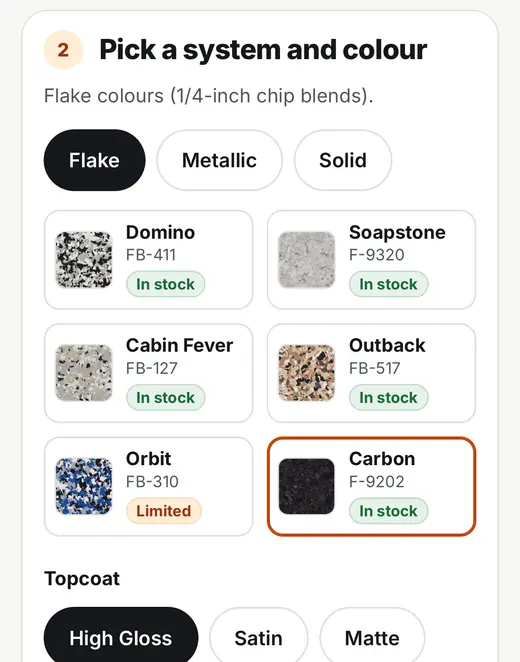
Flake, metallic or solid. Real product codes with stock status, and a high gloss, satin or matte topcoat.
Hand it over
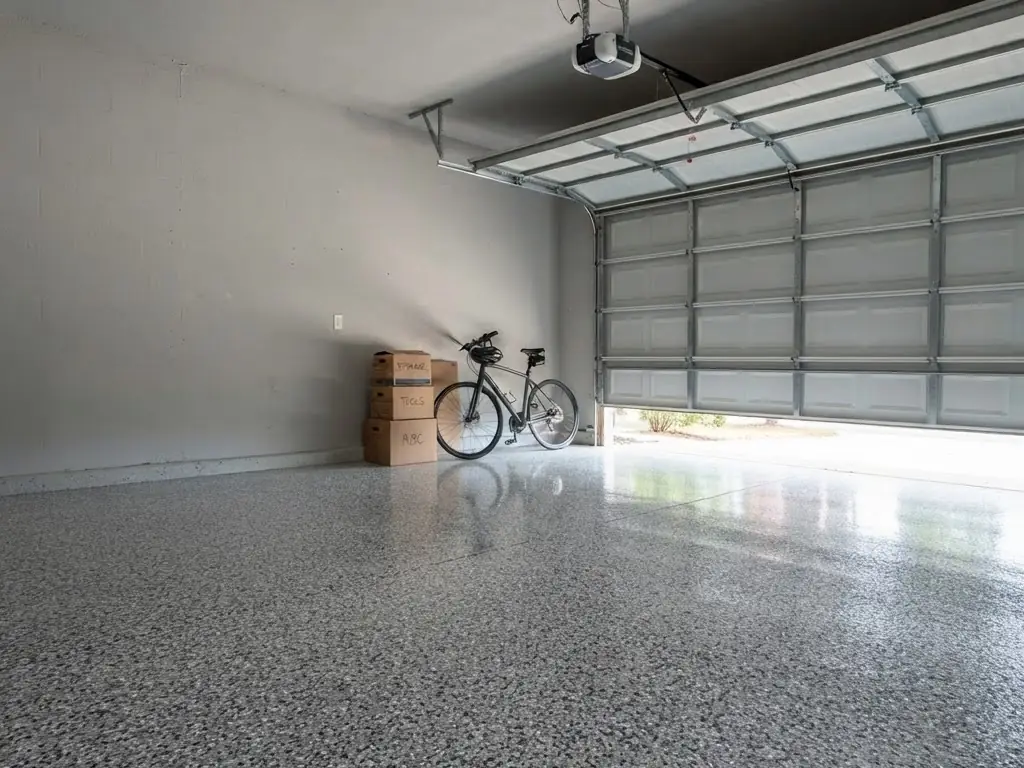
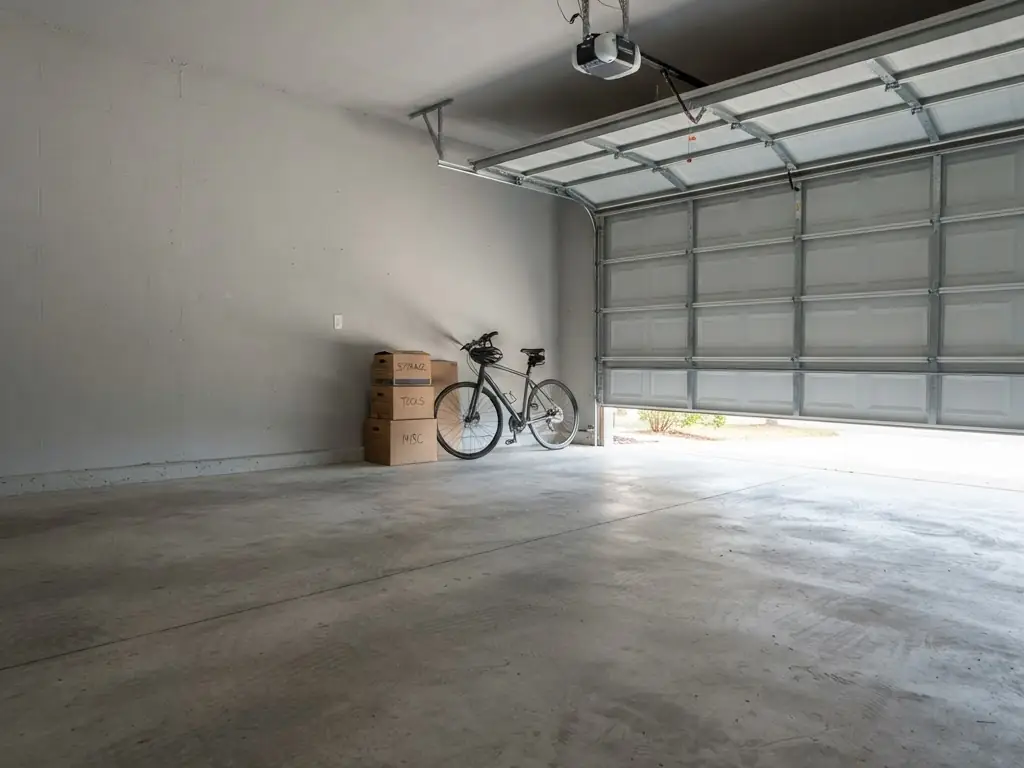
Let them drag it
They slide between the bare slab and the finished floor themselves. When they ask for a price, that becomes your lead.
What the homeowner sees
Three screens, on your phone or theirs.
This is the real public visualizer, captured from the live product. Your version carries your business name, logo and colour.
Their garage
Their photo, or the sample
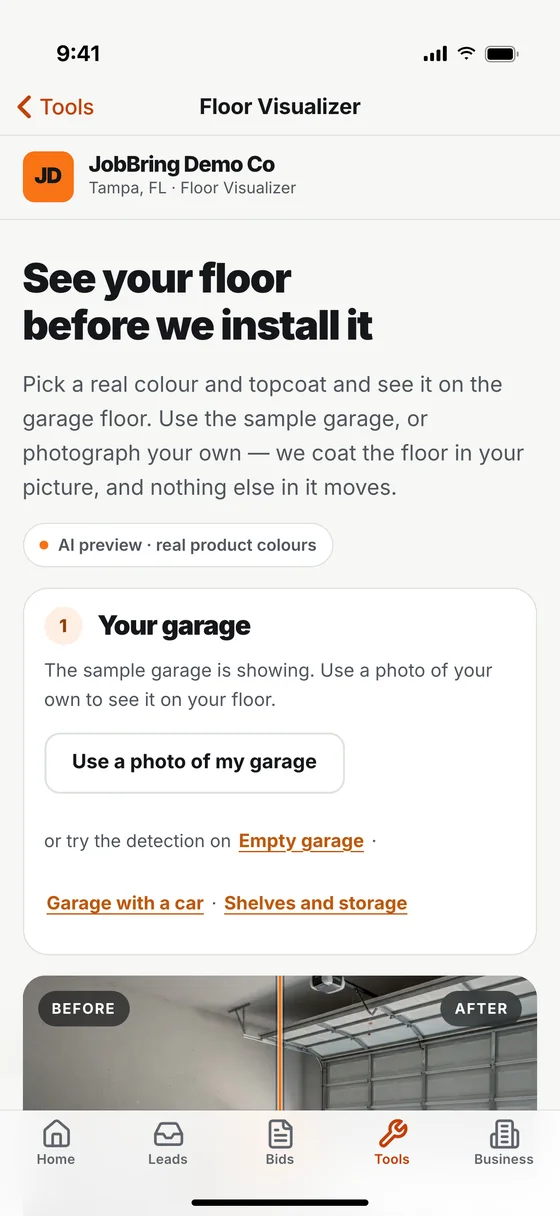
They use a photo of their own garage, or start on the sample one. The floor is found for them, and nothing else in the picture moves.
The choice
Real colours, real codes
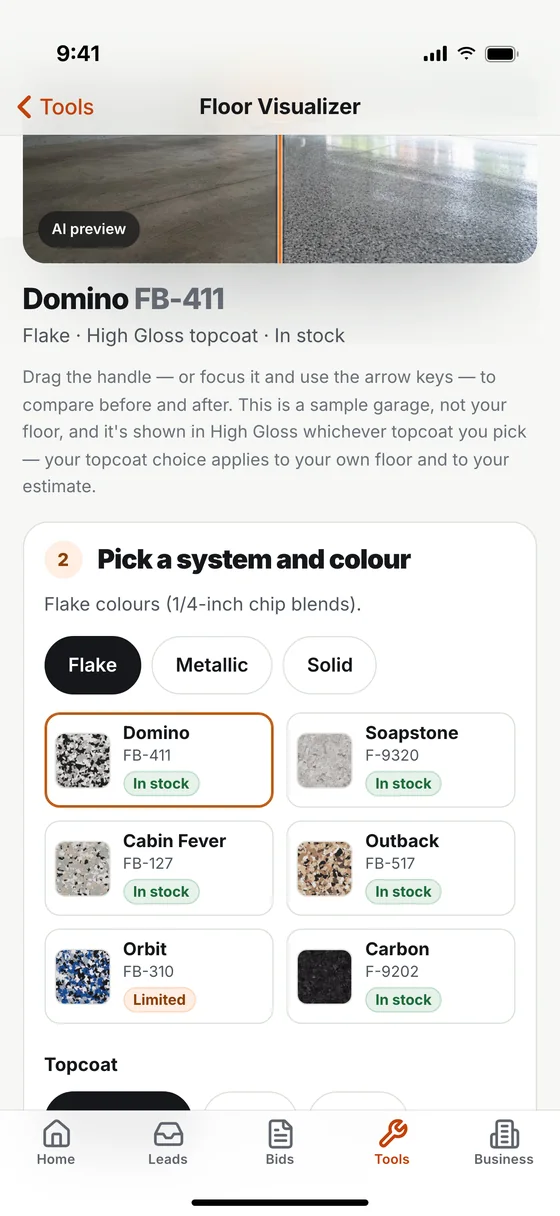
Flake, metallic and solid systems with product codes and stock status, and a high gloss, satin or matte topcoat.
The lead
A range, never a quote
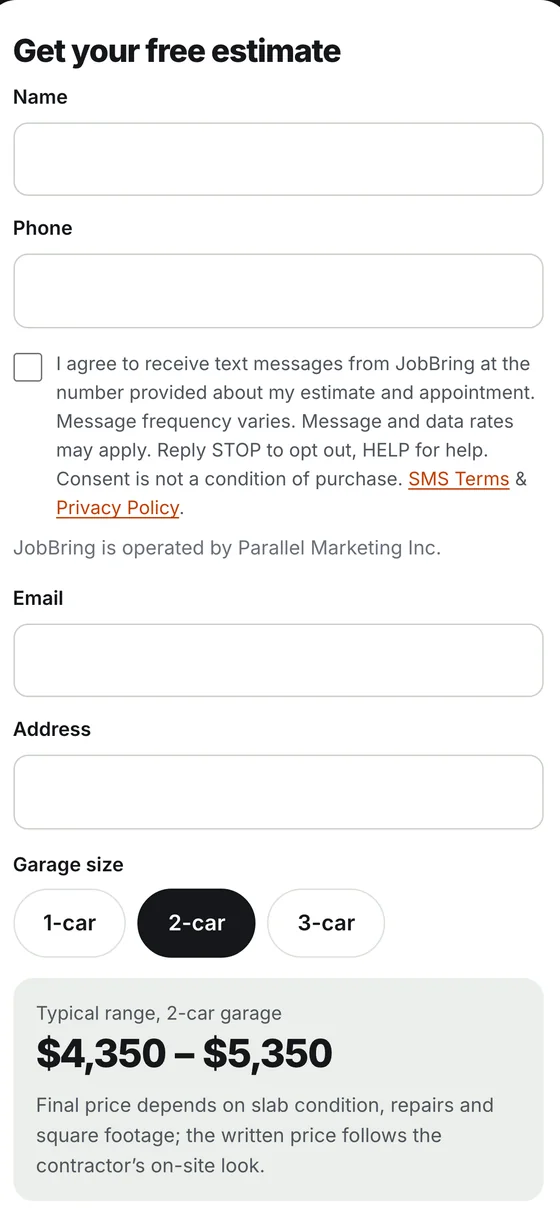
When they ask for a price they leave their details and see a typical range for their garage size. The firm number comes from you, after you see the slab.
Swipe for all three screens.
The honest part
A sales aid, not a promise.
A render is an AI-generated picture of what their floor could look like, made from their own photo and a real product colour. It is not a guarantee of the finished job or an exact colour match: the real product, the lighting and the slab always vary a little. Show the real chip before you pour, and the homeowner trusts the picture more, not less.
Speed
About fifteen seconds from photo to finished floor.
Included
150 renders a month, up to 10 per visitor. Extra renders $15 per 100.
Photos
Location data stripped on upload. Deleted after 7 days.
Products
XPS colours loaded by default. JobBring is an open platform, so you are not tied to one supplier.
What you get
Their own photo, coated. Cars, boxes and walls stay untouched.
Flake, metallic and solid systems, with product codes and stock status.
High gloss, satin and matte topcoats.
A before and after slider the customer drives themselves.
Every request for a price lands as a lead with the colour attached.
150 renders a month included. Ten per visitor. Extra renders $15 per hundred.
Subscribing charges your card today, then monthly until you cancel. The 7 free days are in the app, no card. Or open it on the sample garage now, no account.
It feeds the bid.
The colour the homeowner picked, the car count and the address arrive together. Smart Estimate starts the bid from that, so nothing gets retyped.
Does it work on a photo of the customer's own garage?
Yes. That is the point. Stand in the garage, take the photo on your phone, and the floor in that picture gets coated. Everything else in the room stays exactly as it is.
How long does one preview take?
Around fifteen seconds from photo to finished floor.
Which colours are loaded?
Flake, metallic and solid systems with real product codes. XPS colours are loaded as the default because that is where most coating contractors start. JobBring is an open platform, so you are not tied to one supplier.
What happens to the customer's photo?
Location data is stripped on upload and the photo is deleted after seven days. The detail is in the privacy policy.
How many previews do I get?
150 renders a month are included, and a single visitor can use ten. More are $15 per hundred.
Can I give homeowners my own link?
Yes. Your account has its own visualizer link with your business name, logo and colour, plus a QR code for it on your dashboard. Text it, print it, or put it on your website.
Does the homeowner see a price?
They see a typical range for their garage size when they ask for an estimate, marked clearly as a range. A firm price is never shown. That comes from you, after you see the slab.
Get the Floor Visualizer
$49 a month, 150 renders included. Subscribe here and your card is charged today, then monthly until you cancel. Or try it free for 7 days in the JobBring app first, no card needed.
 BeforeAfter