Subscribing charges your card today, then monthly. The 7 free days are in the app, no card.
Three steps, about two minutes.
Customer
Who and where
Type them in, or start from a visualizer lead where the name, address, car count and colour are already filled.
Floor
Size and system
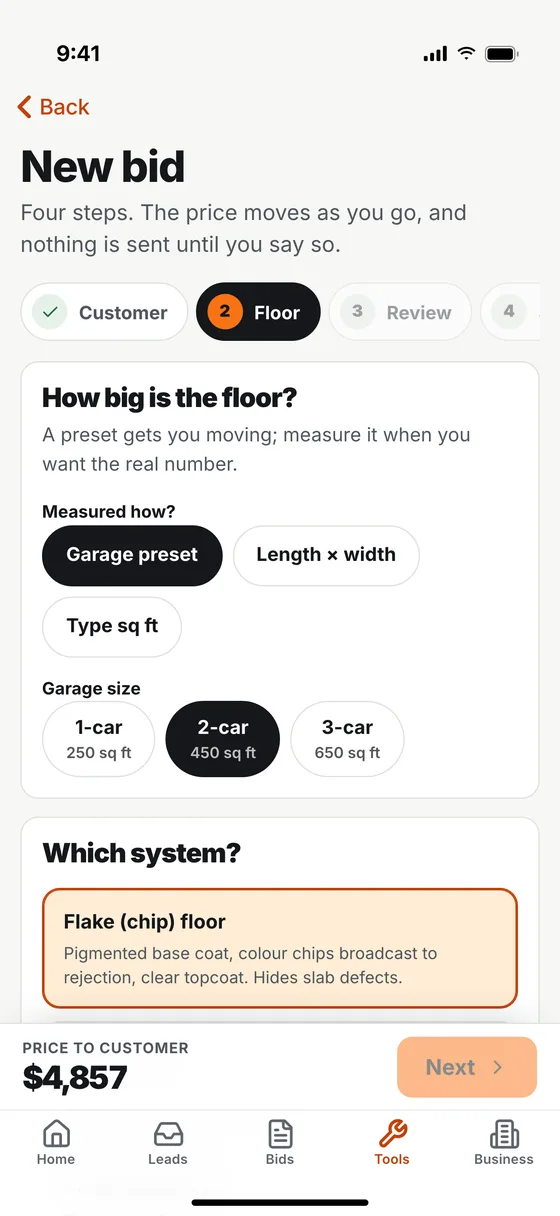
Square footage, the system and colour, the topcoat, and anything extra the slab needs.
Review and send
Check the margin, send the bid
Your side shows cost and gross profit. Adjust the price, name the discount and send. They accept on their phone.
In the app
Your side, their side, and what happened next.
Real screens from the JobBring app, shown with a sample business and sample customers.
You
Four short steps
Customer, floor, review, send. The price moves as you go, and nothing is sent until you say so.
The homeowner
A page, not a PDF
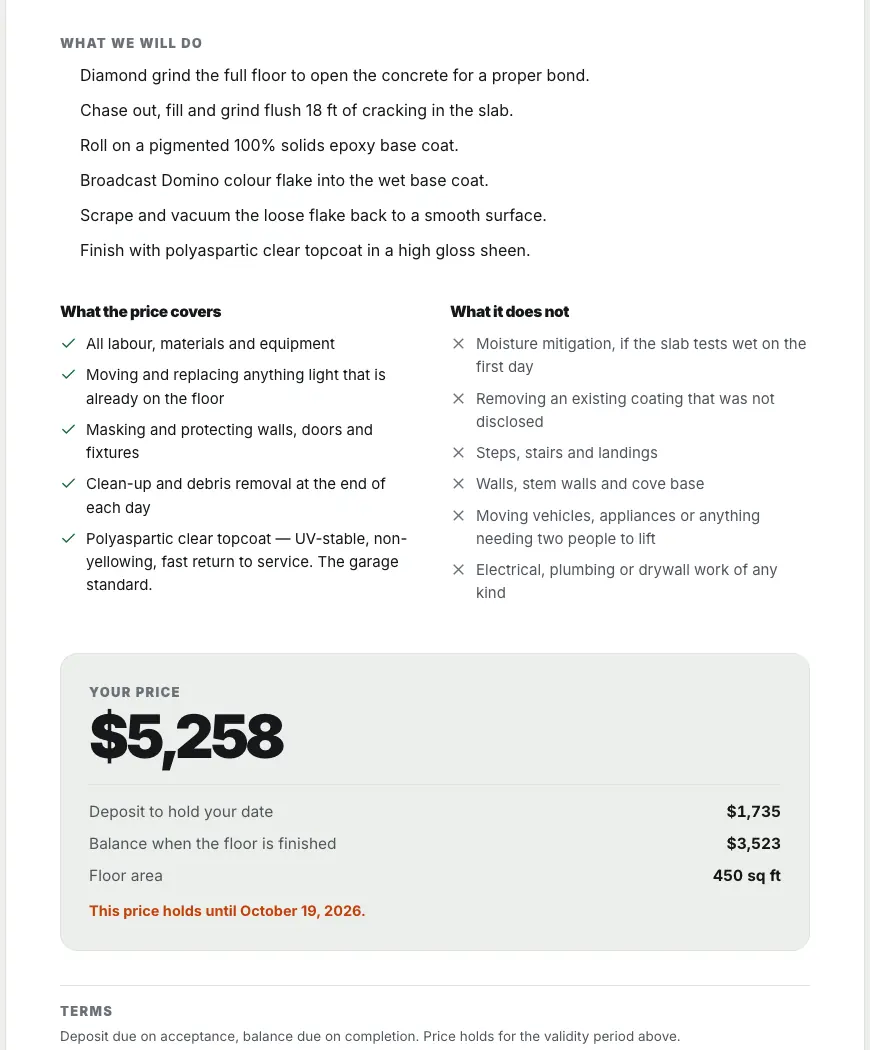
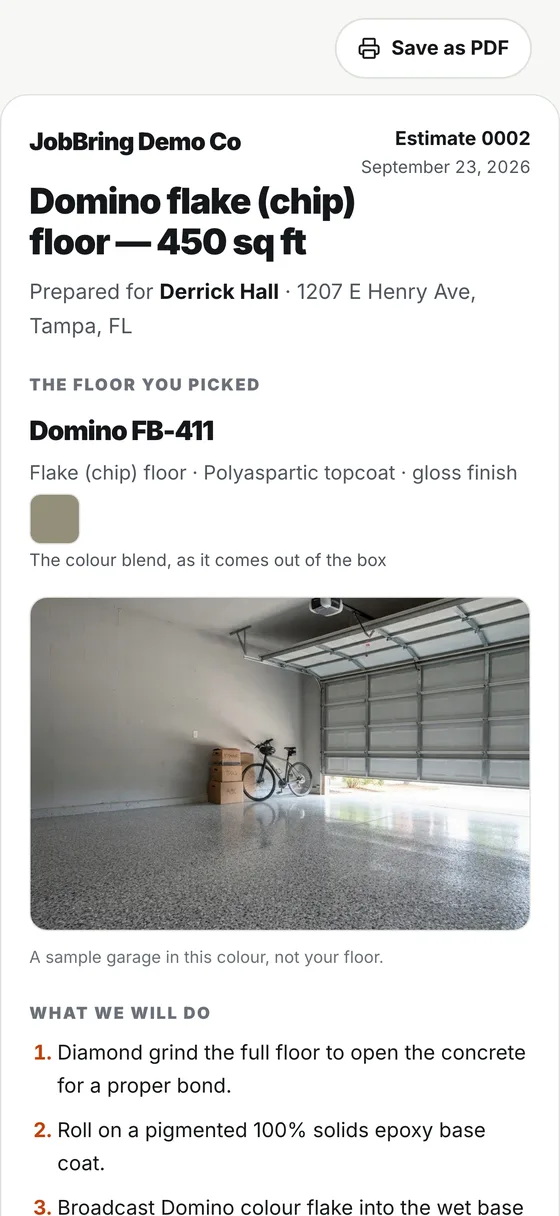
The floor they picked, what you will do, what the price covers and does not, the price and the deposit. They can save it as a PDF too.
You, later
Know where each bid stands
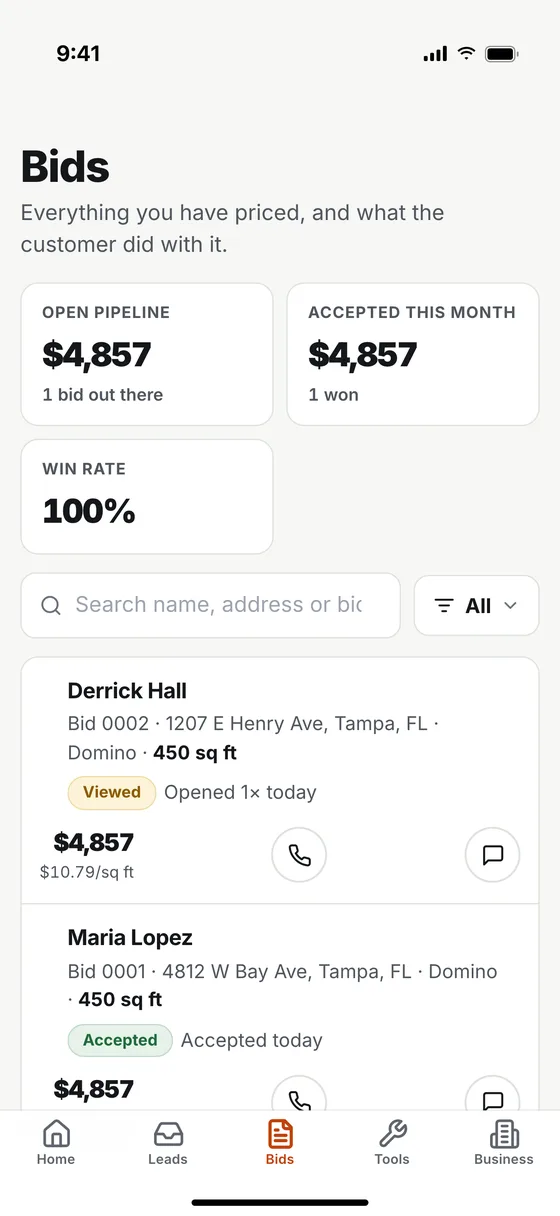
Your bids list shows what is open, what was viewed and what was accepted, with your pipeline and win rate at the top.
Swipe for all three screens.
Two numbers, kept apart.
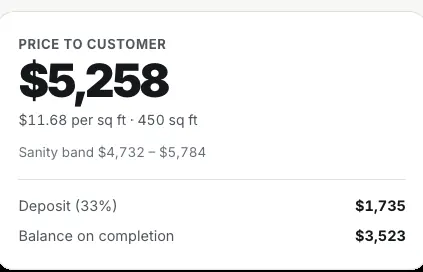
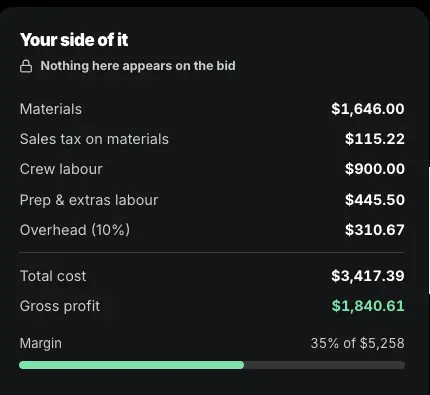
The customer gets the price and what it covers. You get the cost, the gross profit and the margin, on a panel marked clearly as yours. Change the discount and watch the margin move before you send anything.
Materials, sales tax, crew labour, prep and overhead broken out
A sanity band so an obviously wrong number cannot go out
Deposit and balance split on the customer's copy
The price holds until a date you set
Your own coverage rates and labour figures in settings
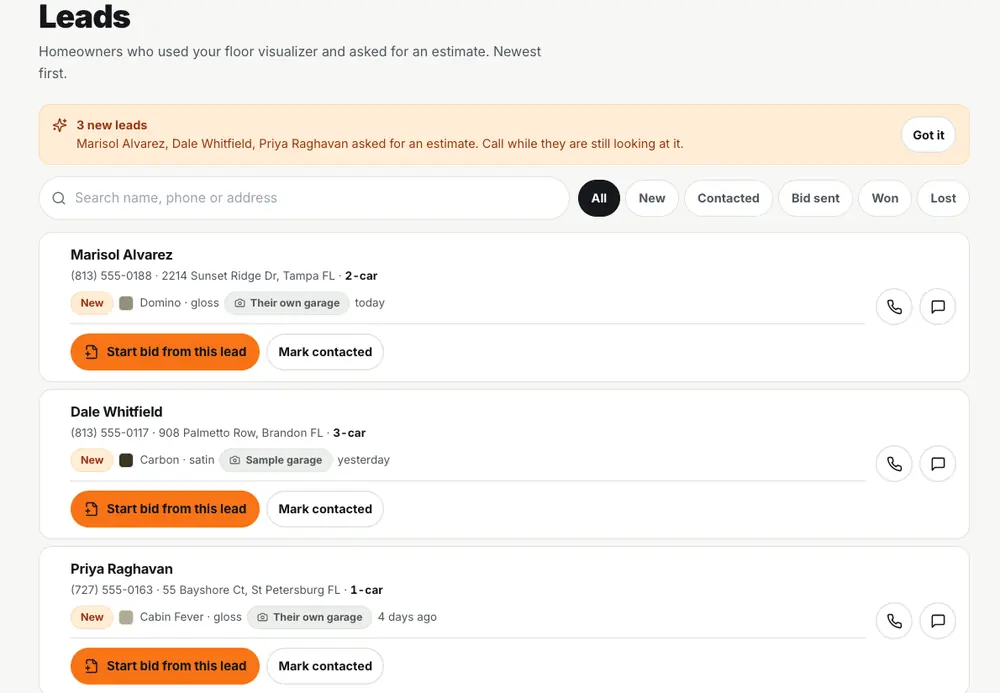
The leads arrive already warm.
Every homeowner who used your visualizer and asked for a price shows up here with their address, how many cars and the colour they chose. Start the bid from the lead and nothing gets typed twice.
No. Your cost, your labour and your margin sit on a private panel that is not part of the bid. The customer sees the scope, the price, the deposit and what is not included.
Where do the coverage rates come from?
They start from industry-standard figures, not one store's opinion, and you can replace every one of them with your own numbers in settings. The bid shows you which figures are assumptions.
Can they accept it on their phone?
Yes. They tick the box, type their name and the bid is accepted. Nothing is charged at that point.
Does it work without the visualizer?
Yes. Start a bid from scratch, from a lead, or from a visualizer preview. They are priced separately.
Can I see whether they opened it?
Yes. Each bid in your list is marked when it has been viewed and when it has been accepted.
Who is responsible for the number?
You are. The estimate is calculated from the numbers and settings you enter. JobBring does not inspect the job site and is not part of the agreement between you and your customer. The sanity band catches an obviously wrong figure; the rest is your judgement, which is the point.
Get Smart Estimate
$39 a month. Subscribe here and your card is charged today, then monthly; cancel before it renews. Or try it free for 7 days in the JobBring app first, no card needed.